
Loading the open projects…
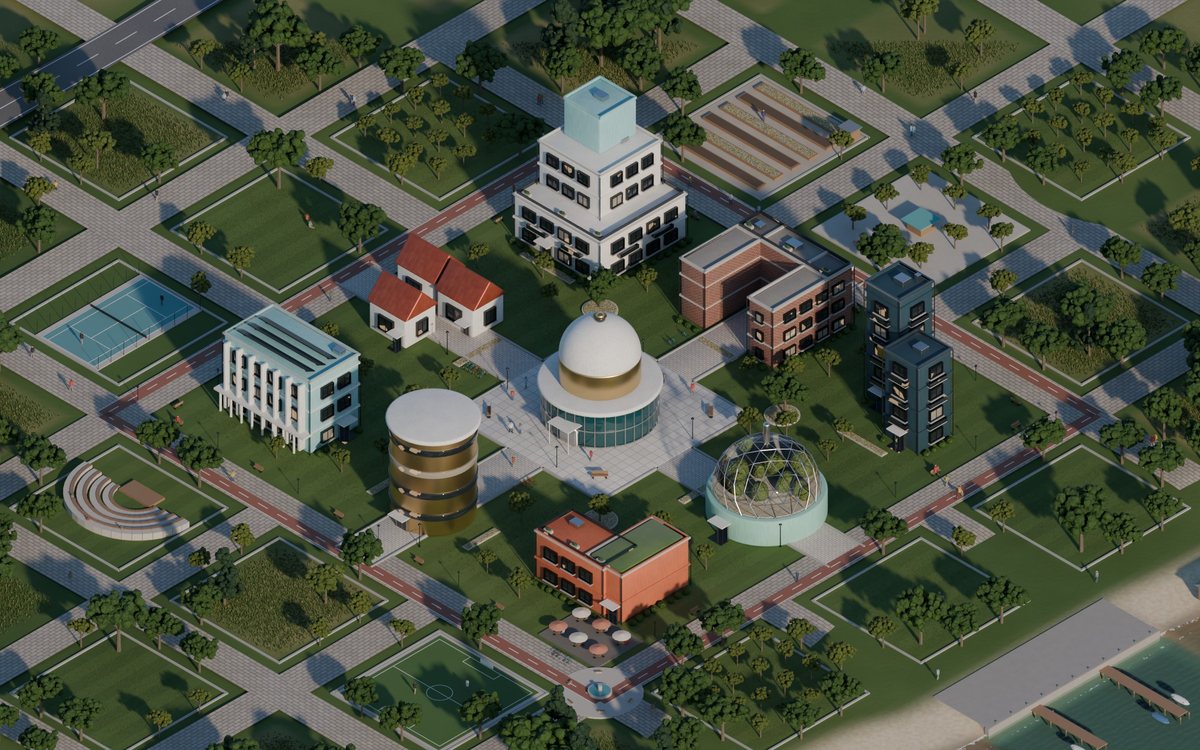
Every building is a research project. Pick one and join in.
Joining is always free. Choose a numbered building to open its project.
Project
Fig. 1 The Barchinet campus, a work-in-progress render. New projects add new buildings.
Morning, sunset and night are a colour grade over the daytime render, not final renders.
Barchinet Global is an architecture platform where architecture students, research teams and university teachers work on research together. Look at the projects first; you only need an account when you join. Joining is always free.
A made-up example: a hillside library study
One task, from the first line to a published page.
This is what working on a project looks like: a task with a clear question, your drawing, a review that tells you what to do next, and the finished piece with your name on it.
-
1The task
A clear question, sized to start with.
Task from the example study
Draw one section through the slope and show a way to stack the reading floors.
-
2Your drawing
By hand or in the browser 3D Design Studio, submitted in the workspace.
Submitted in the workspace
Section A, first version, sent to the project’s reviewers.
Status: waiting for review
-
3The review
A comment with a clear next step.
Reviewer, on mark 1
Clear section, and the floors follow the slope well. The back of the lowest floor gets no daylight.
Next step: try a light well behind it and redraw that floor.
Status: revise, one next step
-
4Accepted and published
Each project has its own reviewers. Barchinet makes the final decision on what is accepted.
Stepping a library down a slope
Section drawing: Your name here
Published in the project’s articles
The accepted drawing carries your name.
Status: accepted
Illustrations of a made-up example. Real projects set their own tasks.
Open projects
Each one starts from a research question. Read the question and an example first task before you make an account.
Only projects whose owners mark them public appear here. Member names and profiles are not shown: profiles stay off unless a member switches theirs on.
Loading the open projects…
Your part stays yours.
You own what you contribute.
The drawings, models, text and data you contribute stay yours.
Barchinet may use it too.
You give Barchinet Inc. a permanent, worldwide, royalty-free, non-exclusive licence to use your contribution. Non-exclusive means you can still use your own work anywhere else, for example in your own research.
Your accepted work carries your name.
Barchinet names you on the project for contributions it accepts, unless you ask not to be named. You may show and cite your contributions in a portfolio, CV, coursework or thesis.
Joining is always free.
There is no fee to join or to take part.
These are provisional contributor terms, version 0.1. Read the contributor terms
How joining works
Three steps. The project you pick stays with you the whole way, through sign-in, sign-up and approval.
- 1
Pick a building
Choose a project on the campus or in the list, and press Join this project.
The project you pick
- 2
Sign in or make an account
You must be 18 or older. A confirmed university email is approved automatically; other accounts are approved by Barchinet.
Still the project you pick
- 3
Land in that project
You arrive at the project you picked, with its join request open. Send it, and you start on the tasks once you are accepted.
At the project you picked
After you ask to join
Barchinet reads your request and accepts or declines it. Once you are in, each project has its own reviewers for the work you submit, and Barchinet makes the final decision on what is accepted.
Joining is always free.
For university teachers and research teams
Use a project in your course, or bring a study of your own.
What your students do and keep
- Real tasks on a research question.
Students work in the signed-in workspace: project tasks, reviews, resources, articles, publishing and a browser 3D Design Studio.
- Work they can show.
They own the part they contribute. Accepted work names them on the project, unless they ask not to be named, and they may cite it in a portfolio, CV, coursework or thesis.
- Clear review.
Each project has its own reviewers. Barchinet makes the final decision on what is accepted.
- Privacy, adults only.
Every contributor is 18 or older. Member names and profiles are not shown on public pages, and profiles stay off unless a member switches theirs on.
Put a project on your course page
Week 6: sections on steep sites
This term we take part in a research project on Barchinet. Read the project, then join it.
- One share link per public project.
Students who open it see that project first. Join this project keeps it through sign-in, sign-up and approval, so they land in it.
- A course or a study of your own.
If you teach or run a research team and want to run your work here, talk to us first.
Bring a course or a study to Barchinet.
Talk to us about a course or a studyQuestions
Short answers before you ask to join.
Always. Joining is always free.
You do. You own the part you contribute. Barchinet Inc. receives a permanent, worldwide, royalty-free, non-exclusive licence to use it, so you can still use your work anywhere else. These are provisional terms, version 0.1.
Each project here shows a “Good for” level and an example first task, so you can judge before you ask to join.
Each project sets its own time; you see it before you ask to join.
Not visitors to this page: member names and profiles are not shown here, and your profile stays off unless you switch it on. For work of yours that is accepted, Barchinet names you on the project unless you ask not to be named.
Contributors accept the contributor terms themselves. They are an agreement between you and Barchinet Inc., and you must be 18 or older to accept them.
You sign in or make an account and land in the project you picked. A confirmed university email is approved automatically; other accounts are approved by Barchinet. Barchinet reads your request and accepts or declines it. Each project has its own reviewers for the work you submit, and Barchinet makes the final decision on what is accepted.
Who is behind this
Barchinet Global is an architecture platform made by Barchinet Inc. Its community is where architecture students, research teams and university teachers work on research projects together.
Contact BarchinetPick a building.
Read a project’s question and first task, then ask to join the one that fits you. Joining is always free.